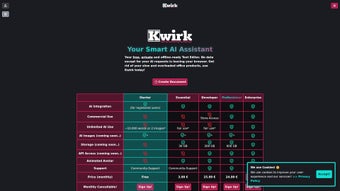

Download Kwirk – AI-Powered Workflow Optimization Tool for Windows, Mac, iOS, Android
Introducing Kwirk: The Future of Smart Productivity
In today’s fast-paced digital world, staying ahead means not just working harder, but smarter. That’s where Kwirk steps in—a next-generation, AI-powered workflow optimization tool designed to transform how professionals manage their tasks, documents, and communication. Whether you're a writer, project manager, entrepreneur, or remote worker, Kwirk offers a seamless blend of automation, intelligence, and intuitive design to elevate your daily productivity. Unlike traditional task managers or writing assistants, Kwirk doesn’t just react to your inputs—it learns from them. Over time, it adapts to your writing style, preferred workflows, and scheduling habits, offering increasingly personalized support. One of Kwirk’s standout features is its AI writing assistant, which helps draft emails, reports, and content with minimal effort. It understands context, tone, and intent, ensuring outputs feel authentic and aligned with your brand voice. The tool also excels in text summarization, instantly condensing lengthy documents into concise, actionable summaries—perfect for busy professionals who need to extract key insights quickly. With its block-based document organization system, users can build modular, reusable content blocks that can be dragged and dropped across projects, saving hours of repetitive formatting and rewriting. Kwirk is built for the modern digital workspace. It integrates effortlessly with existing tools and platforms, requiring no major system overhauls. The web-based interface ensures instant access from any device, while native apps for Windows, Mac, Android, and iOS keep your workflow consistent across platforms. With support for multiple languages and file types—including DOCX, PDF, and Markdown—Kwirk is a truly versatile solution. Whether you're managing a team, running a business, or working independently, Kwirk adapts to your needs, making it one of the most secure, efficient, and intelligent productivity tools available today.Key Features That Make Kwirk a Game-Changer
Kwirk isn’t just another productivity app—it’s a comprehensive ecosystem designed to simplify and supercharge your workflow. At its core, the platform leverages advanced artificial intelligence to automate routine tasks, reduce cognitive load, and enhance content quality. Let’s dive into the standout features that set Kwirk apart from the competition. First, the AI Writing Assistant delivers real-time suggestions and completions based on your input. Whether you're drafting a proposal, composing a client email, or brainstorming ideas, Kwirk anticipates your next sentence and offers contextually relevant alternatives. It supports tone customization (professional, casual, persuasive, etc.), ensuring your messages always reflect your intent. This feature alone can cut down writing time by up to 60%, making it ideal for content creators, marketers, and executives. Second, Kwirk’s Text Summarization tool is a productivity powerhouse. Upload a lengthy report, meeting transcript, or research paper, and the AI generates a concise summary highlighting the most critical points. This is especially useful for reviewing documentation, preparing presentations, or catching up on missed meetings. The summaries are accurate, well-structured, and can be exported in multiple formats. Third, the Block-Based Document Organization system allows users to create reusable content modules—like standard email templates, project briefs, or meeting agendas. These blocks can be stored, tagged, and reused across different projects, drastically reducing duplication. You can even customize block templates to match your brand or workflow. Additionally, Kwirk includes intelligent Task Scheduling that syncs with your calendar and sends automated reminders. It learns your work patterns and suggests optimal times for task completion, helping you maintain focus and avoid burnout. With real-time collaboration features, teams can co-edit documents and assign tasks within the same interface. All features are accessible via a clean, user-friendly dashboard, and updates are delivered automatically, ensuring you always have the latest enhancements and security patches.Why Kwirk Stands Out from Other AI Tools
While many AI tools focus on isolated functions—like grammar checking or basic summarization—Kwirk integrates multiple capabilities into a unified, intelligent workspace. Its adaptive learning engine continuously improves based on user behavior, meaning the longer you use it, the more valuable it becomes. Unlike one-off tools that require constant reconfiguration, Kwirk evolves with your workflow, not against it. Moreover, Kwirk prioritizes security and privacy. All data is encrypted in transit and at rest, and the platform complies with GDPR and CCPA standards. You retain full ownership of your content, and no personal data is used for training external models.Easy Installation, Seamless Usage Across Devices
Getting started with Kwirk is as simple as signing up for a free trial. Visit the official website, create an account, and choose your preferred plan. The web version loads instantly in any modern browser—no downloads required. For those who prefer native apps, Kwirk offers dedicated software for Windows, Mac, Android, and iOS. Each app is lightweight, fast, and optimized for its respective platform, ensuring a smooth experience whether you're on a desktop or mobile device. Installation on Windows and Mac is straightforward: download the installer from the website, run the file, and follow the on-screen instructions. The setup process takes less than two minutes. On Android and iOS, simply search for “Kwirk” in the Google Play Store or Apple App Store and install the app. Once installed, sign in with your account, and your data syncs across all devices in real time. Using Kwirk is intuitive. The dashboard presents a clean, customizable workspace where you can create new projects, organize blocks, start writing, and schedule tasks. The AI assistant appears subtly in the corner, offering suggestions without disrupting your flow. You can also set up custom workflows—such as auto-saving drafts, tagging content, or triggering reminders—based on your preferences. The platform supports drag-and-drop functionality for blocks, making it easy to rearrange content or reuse templates. Real-time collaboration is enabled through shared projects, where team members can comment, edit, and assign tasks. All changes are synced instantly, ensuring everyone stays on the same page. Kwirk also supports offline mode on mobile devices, so you can continue working even without an internet connection. When you reconnect, your work automatically syncs to the cloud.Compatibility & System Requirements
Kwirk is built with cross-platform compatibility in mind, ensuring seamless access no matter your device or operating system. The web application runs smoothly on all major browsers, including Chrome, Firefox, Safari, and Edge. For desktop users, Kwirk offers native applications for Windows 10 and later, as well as macOS 11 Big Sur and newer. Both versions are optimized for performance and security, with automatic update checks to keep your software current. On mobile, Kwirk supports Android 8.0 and above, as well as iOS 14 and later. The mobile apps are designed to be lightweight and battery-efficient, making them ideal for on-the-go productivity. Whether you're reviewing a document during a commute or drafting a message between meetings, Kwirk keeps you connected and in control. The platform supports a wide range of file types, including DOCX, PDF, TXT, Markdown, and HTML. It also integrates with popular tools like Google Drive, Dropbox, and Microsoft OneDrive, allowing for easy file import and export. This flexibility makes Kwirk a versatile choice for freelancers, remote teams, and enterprises alike. All versions of Kwirk are designed to be secure and reliable. Data encryption, two-factor authentication, and regular security audits ensure your information remains protected. With continuous updates and a dedicated support team, Kwirk delivers a future-proof productivity solution that grows with you.Pros & Cons: Is Kwirk Right for You?
- Pros:
- Advanced AI writing and summarization capabilities
- Block-based content organization for reusable templates
- Seamless cross-platform sync across Windows, Mac, iOS, Android
- Intelligent task scheduling and automation
- Secure, GDPR-compliant data handling
- Free trial available with full feature access
- Real-time collaboration and team sharing
- Cons:
- Subscription-based model (no permanent one-time purchase)
- Advanced AI features may require a learning curve
- Offline functionality limited to mobile apps
- Some users may find the interface slightly complex initially
- Not available for Linux operating systems
Frequently Asked Questions (FAQ)
Is Kwirk free to download and use?
Yes, Kwirk offers a free trial with full access to all features. After the trial, a subscription is required to continue using the platform. The free version allows you to test the AI writing, summarization, and task scheduling tools before committing.
Can I use Kwirk on both Windows and Mac?
Absolutely. Kwirk provides native applications for both Windows 10 and later, as well as macOS 11 Big Sur and newer. You can install and use the software on both devices with seamless sync across platforms.
Does Kwirk support multiple languages?
Yes, Kwirk supports over 15 languages, including English, Spanish, French, German, Chinese, Japanese, and Arabic. The AI writing and summarization tools are trained to understand and generate content in these languages, making it ideal for global teams.
How does Kwirk ensure data security?
Kwirk uses end-to-end encryption for all data in transit and at rest. It complies with GDPR and CCPA regulations, and your content is never used to train external AI models. Two-factor authentication is also available for added security.
Can I use Kwirk offline?
Yes, the mobile apps (Android and iOS) support offline mode. You can create, edit, and save documents without an internet connection. Once online, your changes sync automatically to the cloud.



.png)



